Order fulfillment
Burger Shift
Cook, stage, build, and serve the right tray before patience runs out in a compact kitchen-management game.
One order at a time—until the rush arrives
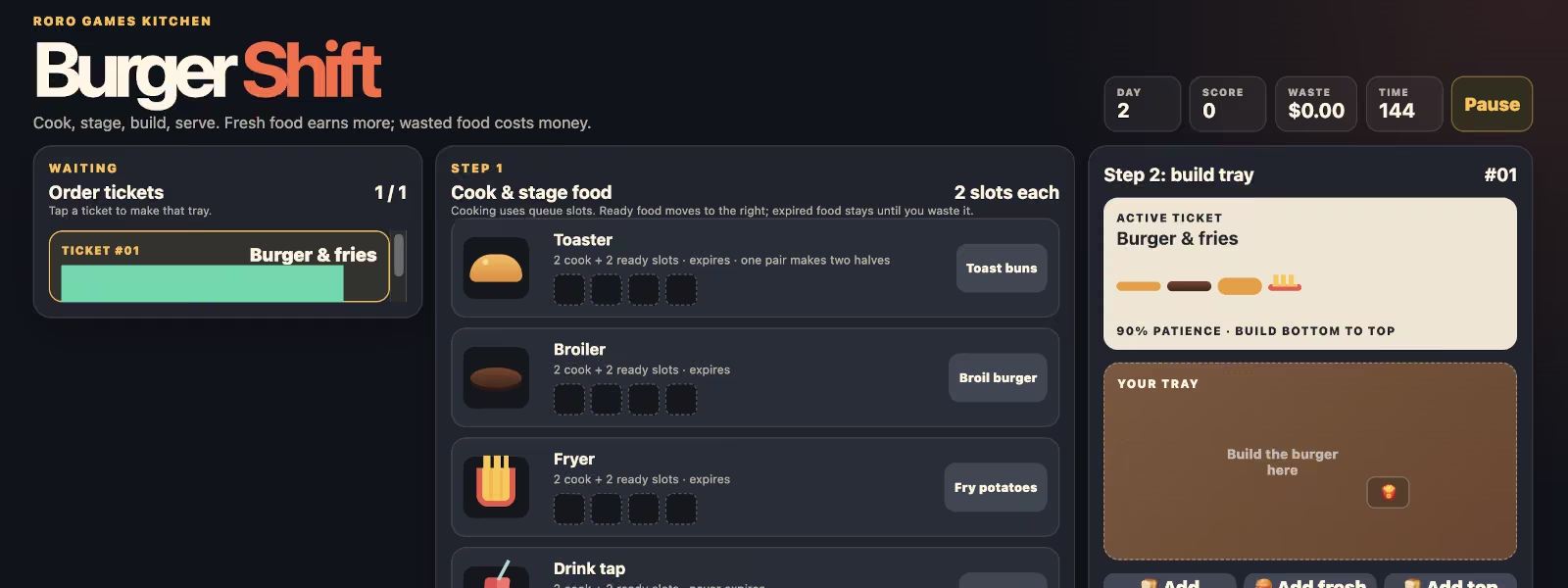
Burger Shift starts with a clear Day 1 order: toast buns, broil a burger, build it bottom to top, and serve the exact ticket. After the first success, more customers can wait at once, making preparation and ticket selection matter.
Later days introduce fries, drinks, combos, and double burgers. The active order tells you the required stack and sides, while the ticket list lets you choose which customer tray you are preparing.
Fresh food earns more; waste costs money
Each station has two cooking slots and two ready slots. Cooked buns, patties, and fries eventually expire if they are not used; drinks do not expire. Throwing out expired food clears the station but adds to the waste total.
Customer patience and the shift timer keep the kitchen moving. Correct, fresh orders score more; an impatient customer leaving costs points, so cook ahead only when you have a ticket that can use the food.
Getting started
How to play Burger Shift
Choose a ticket
Tap a waiting ticket to make it active, then read the order card for its burger layers and required sides.
Cook and stage food
Use each station’s cook button and wait for an item to turn ready. Watch freshness on buns, patties, and fries.
Build the tray
Add burger components in the exact bottom-to-top order shown on the ticket, then pack every requested side.
Serve before patience runs out
Press Serve order only when the tray matches. Pause if needed, and remove expired food with the waste button to open a ready slot.
Ready when you are
Start a game of Burger Shift.
Play Burger ShiftMore Roro Games